Hype5 Stage 1.0.2 · Pre-release
Home page
Stage's home page is built from parts that you switch on and size in the Customiser. With Hype5 Theater it opens on the next performances; without the plugin it opens on your site name, a season message or a full-bleed picture.
On this page
Stage uses its home-page template for the site's front page, whether Settings → Reading shows your latest posts or a static page. The settings are in Appearance → Customise → Hype5 Stage → Home page and Home page photograph or film.
The parts, from top to bottom
| Part | Shown when | Settings |
|---|---|---|
| Photograph or film (full-bleed) | Top of the home page is Photograph or Film and a photograph is chosen. | Photograph, phone poster, focal point, shade, caption, film files, autoplay. |
| The Marquee | Hype5 Theater is active and performances are coming up. | Performances in the marquee (1–12, default 5). |
| Introduction | Instead of the Marquee when there is no picture and no upcoming performance: the site title and tagline, or the season message. With Hype5 Theater it adds No performances are scheduled at the moment and a link to the schedule. | Season message. |
| The company in the next production | Hype5 Theater is active, the setting is on and the cast of the first production in the Marquee has at least one person. | Show the company in the next production. |
| Poster wall | Hype5 Theater is active and productions are in repertoire. | Productions on the poster wall (0–15, default 5; 0 hides it). |
| Your own content | A static front page is set in Settings → Reading and has content. | Show the front page's own content below. |
| Latest posts | The front page shows your latest posts. | Settings → Reading. |
The Marquee
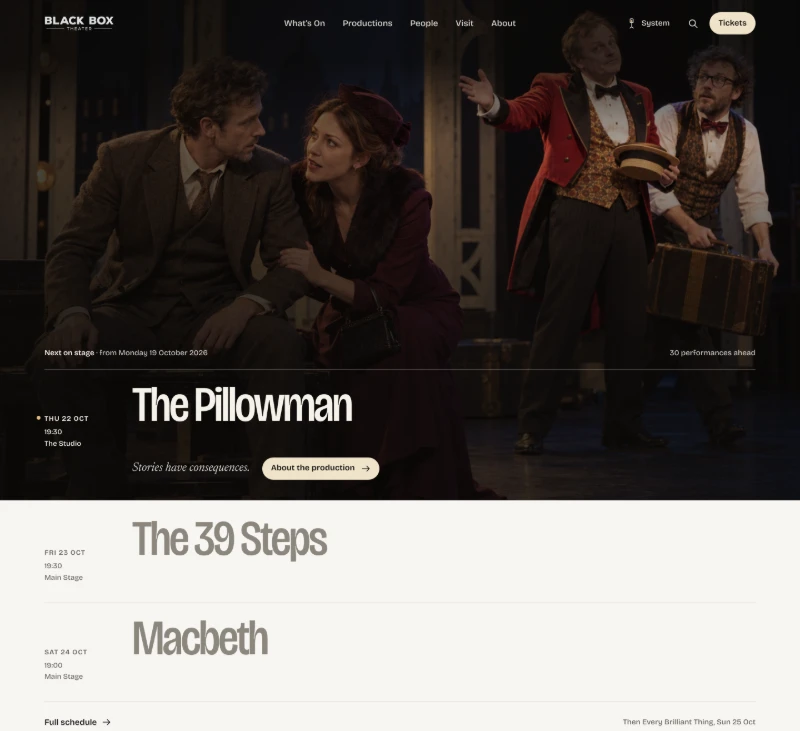
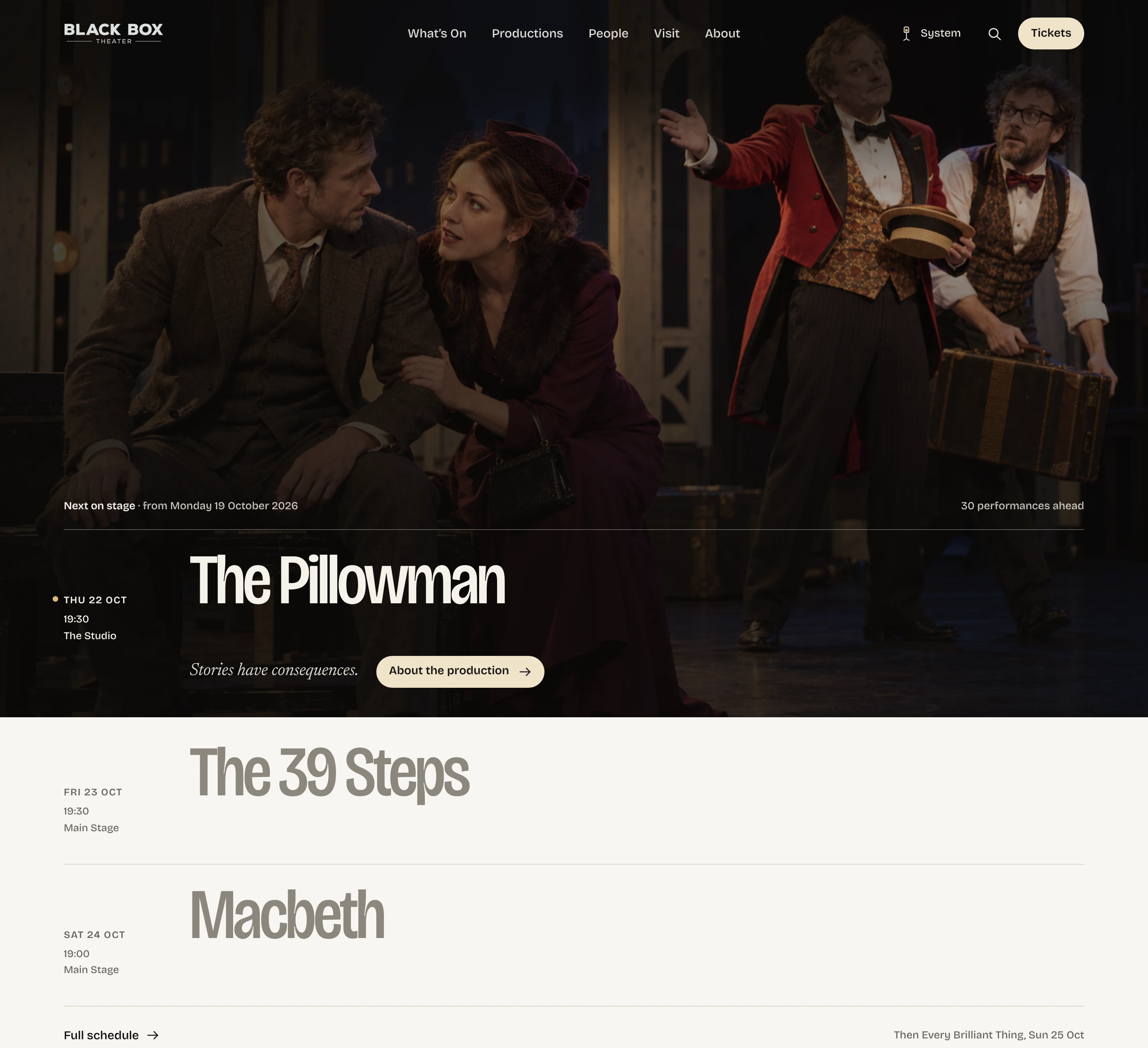
The Marquee lists the next performances at the scale of an event — date, time, venue, production title and teaser. In the default layout (no photograph or film at the top) the posters of the productions stand beside the lines; with a full-bleed photograph or film, the first line is shown on the picture and the others continue below it, without posters. It uses Hype5 Theater's public schedule, so it shows only performances that are still going ahead (Scheduled or Sold out) of productions that are public to everyone — published without a password, also in the language version the visitor reads. Password-protected productions are never listed, also after a visitor has entered the password, because the home page is the same for every visitor (see Private and protected content). A header line shows today's date and how many performances are ahead; a footer links to the full schedule and names the next performance after the list.
Each line links to the production page, never directly to a ticket seller. Its label reads Tickets · From … when Hype5 Theater reports a purchasable offer with a price for that performance (see Ticket offers); otherwise it reads About the production.
The poster wall
Up to 15 distinct productions in repertoire — Playing, On hold and Coming soon — ordered by their next date. Only productions that are public to everyone are shown; password-protected productions are left off the wall.
The company row
The cast of the first production in the Marquee, in 2:3 portrait frames that follow the plugin's directory fit setting, or as a list of names when no portraits exist. Up to 18 people are shown, with a link to the whole company.
A full-bleed photograph or film
- Set Top of the home page to Full-bleed photograph or Full-bleed film.
- Choose a photograph at least 2400 px wide. It is also the film's poster and the fallback when the film does not play.
- Optionally add a phone poster in portrait format for screens narrower than 768 px.
- Set the focal point so that faces stay in view when the picture is cropped to the screen.
- Choose the shade under the text — soft, medium or strong — so that the text stays readable against the brightest part of the picture.
- For a film, add self-hosted WebM and/or MP4 files (muted, about 15 seconds, around 1600 px wide is a good size).
The film never starts by itself with reduced motion, Save-Data, slow connections or on phones; visitors can press Play, and their Pause is remembered. Nothing of the film is downloaded until the page has finished loading.
Text on the picture
- The next performance: the first marquee line is shown on the picture; the remaining performances continue below it.
- A season message: a small line (for example Season 2026/27 · in repertory), a heading (required), a second line, and buttons to the schedule and to the people directory, with the next performance as a cue.
Without Hype5 Theater
The home page shows the photograph or film (if chosen) with the season message or site title, or the introduction, followed by your own front-page content or latest posts. The Marquee, company row and poster wall need Hype5 Theater 0.7.0 (tested) or a 0.6.17 Phase 5K build.